Quick Summary (TL;DR)
The Bottom Line: In 2026, your smartphone is the only payment tool you need. By using Tap to Pay, you can accept contactless credit cards and digital wallets directly on your phone—no extra hardware required. This eliminates the “waiting game,” protects your cash flow, and provides your customers with the modern, secure payment experience they expect.
Inside this Guide:
- The End of the “Check in the Mail” Era
- How Tap to Pay Works: No Extra Hardware Required
- Why Your Customers Prefer to Pay by Phone in 2026
- Keeping Your Money Safe: How Digital Payments Protect Your Business
- Setting Up Your Phone for On-Site Payments in 3 Minutes
- The Financial Impact: How Instant Payments Lower Your Overhead
- FAQs
Checks still work, and some people prefer them. But in today’s digital world, they can feel a little slow and unpredictable. You have to wait for them to arrive, deposit them, and hope there aren’t any delays. Not everyone uses them anymore, either.
But updating your payments means investing in hardware, right? You might need a card reader or some kind of Bluetooth device. You’ve got to keep track of all this gear and keep it charged up.
There’s just too much friction to make the swap worthwhile. You didn’t get into the trades to look after gadgets. You want to finish the job and get paid. Right there. Right then.
Well, you can. And you don’t need anything besides your smartphone, all thanks to Tap to Pay for contractors.
This article shows you how to take payments on-site using only your phone. You’ll learn why checks slow you down, how Tap to Pay works, and what it means for your time and money.
Let’s make payments easier than ever for you and your clients.
The End of the “Check in the Mail” Era
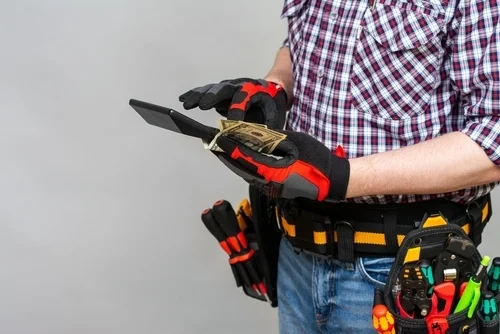
Many homeowners don’t use checks anymore. If you’re still waiting for them in the mail, you’re falling behind. Tap to Pay lets you get paid on-site, in minutes, not weeks. It’s faster for you and easier for your customer. That’s the kind of service that wins more jobs.
It’s 2026. Almost no one carries a checkbook:
- 46% of Americans didn’t write a single check in a 12-month period.
- Only 4% wrote more than one per month.
Today, homeowners pay by card or phone. And most expect that to work on the jobsite. If you can’t take a card, they’ll ask, “Can I just Venmo you?” Or worse, they’ll say, “I’ll mail a check next week.”
And that’s the problem: when you wait for a check, you shoulder the cash flow gap.
The cash flow gap is the time between finishing the job and getting paid for it. Whether the funds land in your bank today or in a month’s time, you still have to pay for labor and materials.
And while you’re waiting, you’re working another job with more out-of-pocket costs. That gap gets wider each time a check is late or lost.
That’s one side of the story. From your customer’s point of view, checks are old-fashioned. Cards are the preferred way to pay:
- 53% of people use debit cards.
- 37% use credit cards.
So while embracing Tap to Pay is about improving your cash flow, it’s also about making payments easy for customers. They can fund their home project the same way they pay for just about everything else.
RELATED ARTICLE — 8 Ways Going Cashless Will Improve Your Contracting Business
How Tap to Pay Works: No Extra Hardware Required
Your phone can now take payments by itself. Tap to Pay uses built-in NFC technology to read cards and digital wallets. You can accept credit cards on phones with no reader. It’s faster and reduces your labor burden.

You’ve already got the most powerful payment tool in your pocket.
Yep. It’s your phone. You don’t need:
- Extra hardware
- Dongles that need charging
- Devices that are supposed to sync but rarely do
Tap to Pay uses NFC or near-field communication. That’s a short-range signal your phone uses to read a card or another phone.
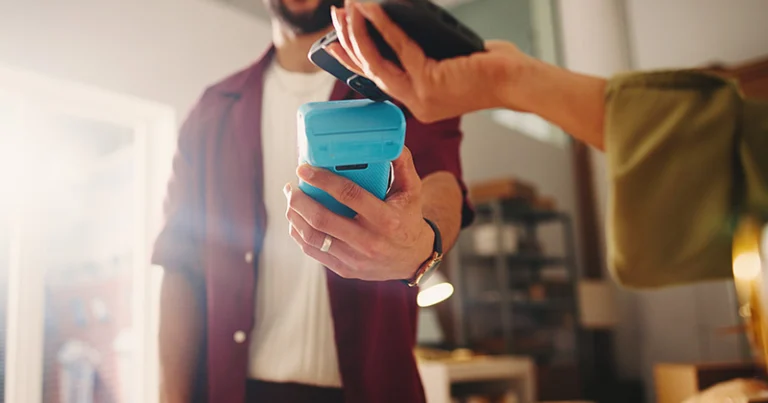
With NFC, your phone becomes the card reader. Here’s what that looks like on the job:
- Open the invoice in your app, like Joist.
- Tap the Tap to Pay button.
- Hand your phone to the customer.
- They tap their card or phone on your screen.
- Wait a few seconds. It’ll say Approved.
- Done.
You get an instant deposit, too. That means the money starts moving to your bank right away.
Now think about what this replaces:
- You’re not chasing a mailed check.
- You’re not going back and forth on “Did you send it?”
- You’re not calling in card information or trying to sync a Bluetooth reader.
You’re saving time, and that reduces your labor burden: all the extra time and effort it takes to get paid.
Why Your Customers Prefer to Pay by Phone in 2026
Many customers already use their phones to pay. It’s fast and feels safer than writing a check. Mobile wallets like Apple Pay and Google Pay are everywhere now too. If you can’t take a phone tap, you’re adding friction, and that’s not great for closing jobs.
Phone payments are the norm:
- 507 million people use Apple Pay around the world.
- Nearly half of all mobile payments in the US go through Apple Pay.
- In the US, 35 million use Google Wallet.
Why is this? Well, they’re fast and convenient. Most people are already carrying their phones.
What’s more, a lot of people don’t trust checks. Writing down their bank routing number feels risky.
With a mobile wallet:
- Their data is encrypted.
- They don’t hand over anything physical, which could end up in the wrong hands.
The Tap to Pay experience is secure and modern, which is exactly what your clients expect from a professional business like yours.
There are other differences, too. Here’s how payment options compare:
| Feature | Phone | Contactless Card | Check |
| Encrypted transaction | Yes | Yes | No |
| Shows payment instantly | Yes | Yes | No |
| Requires personal banking details | No | No | Yes |
| Works without handing anything over | Yes | No | No |
| Feels modern and convenient | Yes | Yes | No |
Your customer might not say it out loud. But if you can’t take the kind of payment they use every day at the store, they’ll take mental note. And it might cost you the next referral.
RELATED ARTICLE — 9 Proven Ways Contractors Can Reduce Late Payments
Keeping Your Money Safe: How Digital Payments Protect Your Business
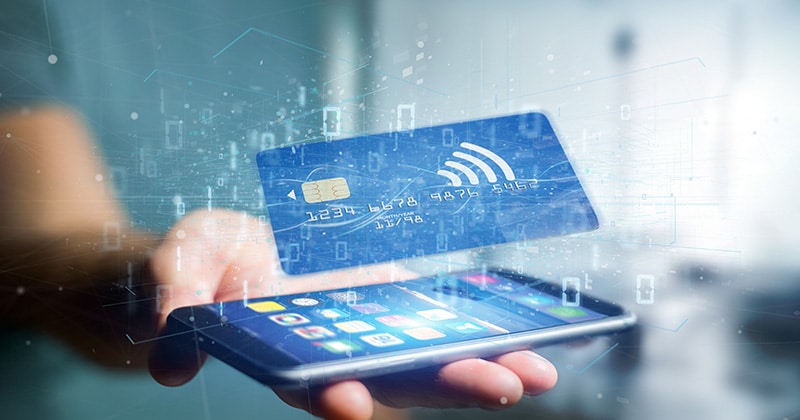
Digital payments reduce risk compared to checks. Each payment is encrypted, tracked, and recorded. You get proof of payment the moment it happens. That lowers disputes and prevents lost checks. It also protects customer data through PCI compliance.
Security is a non-negotiable when your customer’s data and your paycheck are on the line.
Digital payments are protected from all angles. Each transaction is encrypted, which means the card data is scrambled while it moves between devices. That makes it hard to steal or fake.
You also get a built-in paper trail. Every time a customer pays, the system logs the amount, time, and method. If someone claims they already paid or says they didn’t, you’ve got cold, hard proof.
There are four key ways Tap to Pay protects your business:
- Tokenization replaces the card number with a one-time code.
- Encryption protects that code while it moves from phone to bank.
- Instant receipts serve as proof of payment right on the spot.
- Account records are saved alongside your invoice.
Tap to Pay also follows PCI compliance rules, which set out strict credit card safety standards. These include data storage and access, as well as fraud tracking.
Setting Up Your Phone for On-Site Payments in 3 Minutes
You could be managing payments on your phone in 3 minutes or less. With Joist, Tap to Pay takes just a few taps to get going. Once it’s all set up, you can start accepting mobile payments for trades instantly.
If you’ve got Joist and a smartphone (Apple or Android), you’re ready to set up Tap to Pay.
Want to follow along in real time? Create your free Joist account and download the app now.
Then, set it up:
- Open the Joist app.
- Go to Payments Settings.
- Tap “Get Tap to Pay” or “Set Up Now.”
- Log in to PayPal when it redirects.
- Tap “Continue to Allow.”
- Go back to Joist to finish setup.
That’s it!
Mobile payments for trades reduce your overhead burden, which is the extra time and cost it takes to manage payments. That includes ordering readers, syncing devices, chasing checks, and redoing invoices when something goes wrong.
The Financial Impact: How Instant Payments Lower Your Overhead
Tap to Pay cuts your wait time and your costs. With contactless payments for construction, you avoid weeks of check-chasing. And you can pass the processing fee to the client as a clear line item. That builds trust and protects your bottom line.
Let’s say it takes three weeks to get paid. You might spend hours following up with texts, calls, or extra trips. That’s unpaid labor.
Now compare that to a small payment processing fee. In most cases, it’s cheaper than chasing money for days.
And Joist makes it easy to be 100% honest and transparent with your clients, because you can add the fee as a line item.
This is where markup vs. margin comes in. Adding a processing fee doesn’t increase your margin. You’re not marking up the job either. You’re protecting your profit.
What about the big-picture financial impact? Here’s how it might look:
| Task | With Check (approx. 3 weeks) | With Tap to Pay |
| Time spent chasing payment | 45–90 minutes | 0–10 minutes |
| Estimated labor cost (your time @ $50/hr) | $37–$75 | $0–$8 |
| Risk of late or missing payment | Moderate–high | Very low (paid on-site) |
| Payment confirmed immediately? | No | Yes |
Say your time is worth $50 an hour. With checks, you might lose 45–90 minutes per job on follow-ups and delays. That’s $37–$75 in unpaid labor.
With contactless payments for construction, payment is confirmed on-site. Follow-ups drop close to zero. After a small processing fee, the total cost is usually less than the time spent chasing payment.
Over time, this adds up:
- Per job: $37–$75 saved
- Per month (10 jobs): $370–$750 saved
- Per year: $4,440–$9,000 saved
FAQs
You’ve got questions. Here are answers to the things contractors ask most.
Yes. Tap to Pay for contractors works on most iPhones and many Android phones. If you’re using Joist Payments with a supported device, you can start right away. There’s no hardware needed.
No. The payment processing fees for Tap to Pay are the same as for a regular card reader (at 2.79% + 0.49 USD). You can even include the fee as a line item.
The app will show the decline message. You can ask the customer to try another card or use a phone wallet like Apple Pay or Google Pay. The goal is to get things sorted before you leave.