You’ve done the walkthrough and know what the job involves. Now you need to work out the price and get a quote back to the customer.
That can mean pulling together measurements, materials, labor, prep work, and all the little details you picked up on site.
The best estimating software for painters makes it easier, helping you build accurate, professional estimates faster and keep the entire quoting process in one place.
We compared five platforms to see which are best for solo painters, small crews, and commercial contractors, including their pricing, estimating features, mobile tools, and where each one falls short.
What Is the Best Estimating Software for Painters?
Joist is the best overall estimating software for independent painters and small painting businesses that want a simple way to move from estimate to approval, invoice, and payment.
You can build an estimate from your phone or computer, add the job details and pricing, send it for approval, and turn an accepted estimate into an invoice without starting over. Plans start at $10 per month.
It won’t be the best fit for every painting business, though. Some tools excel at painting-specific production rates and material coverage, while others are stronger for plan-based takeoffs and larger commercial bids.
The best choice comes down to how you estimate today and which part of the process takes up the most time.
Best Painting Estimating Software at a Glance
| Rank | Software | Best For | Why Choose It? | Starting Price | Free Option |
|---|---|---|---|---|---|
| 1 | Joist | Independent painters and small painting businesses | Keep estimates, approvals, invoices, and payments in one focused contractor workflow | $10/month | 14-day trial, no credit card |
| 2 | PaintScout | Painter-specific residential estimating | Build estimates around production rates, coats, surfaces, and paint coverage | $119/month or $99/month billed annually | 14-day trial, no credit card |
| 3 | QuoteIQ | AI-assisted estimating and broader field service | Combine estimating with AI tools, scheduling, CRM, and optional satellite measurement | $29.99/month | 14-day trial; card required |
| 4 | ScopeTakeoff | Commercial and new-construction painting estimates | Measure PDF plans, calculate painting quantities, and produce SOV output | $100/person/month | 14-day trial, no credit card |
| 5 | STACK | Digital blueprint takeoffs | Measure plans, and connect quantities with materials and labor | $249/user/month billed annually | Limited 7-day free account. |
How We Reviewed the Best Estimating Software for Painters
We compared each painter estimating platform against the estimating jobs painters actually need to get done.
Can you quote from the jobsite?
We checked whether you can record the scope, build the estimate, and send it from a phone or tablet while the walkthrough is still fresh.
That matters in a trade with a large independent workforce. The Bureau of Labor Statistics reports that 31% of construction and maintenance painters were self-employed in 2025.
Does it handle painting-specific details?
We looked at how each tool handles labor, materials, walls, ceilings, trim, doors, prep work, coats, paint quantities, and other details that can change the price.
Is it built for the type of work you bid?
A residential repaint and a commercial plan-based bid need different tools. We compared onsite estimating, production-rate calculations, PDF takeoffs, and commercial estimating workflows.
What happens after approval?
We checked whether the accepted estimate can move into signatures, deposits, job records, invoices, payments, and scheduling without rebuilding the job.
Keeping that workflow connected matters when cash flow is already a common pressure for small businesses. In the Federal Reserve Banks’ 2024 survey, 51% of employer firms reported uneven cash flow as a financial challenge.
What will it really cost?
We compared starting prices, user limits, document caps, annual commitments, add-ons, and features locked behind higher plans.
Are the extra tools worth paying for?
CRM, dispatch, AI, route planning, and project management can help a growing company. A solo painter may never use them.
The Best Estimating Software for Painters
A painter quoting residential repaints over the phone needs a different setup than an estimator measuring a 100-page commercial plan set.
Here is where each platform fits.
1. Joist: Best for Independent Painters and Small Painting Businesses
- Starting price: $10 per month
- Free option: 14-day trial, no credit card required
- Best for: Painters who want a focused estimate-to-payment workflow.
The walkthrough is where most of the estimate comes together.
You have seen the wall condition, counted the doors, discussed the finish, and figured out how much prep the job will require.
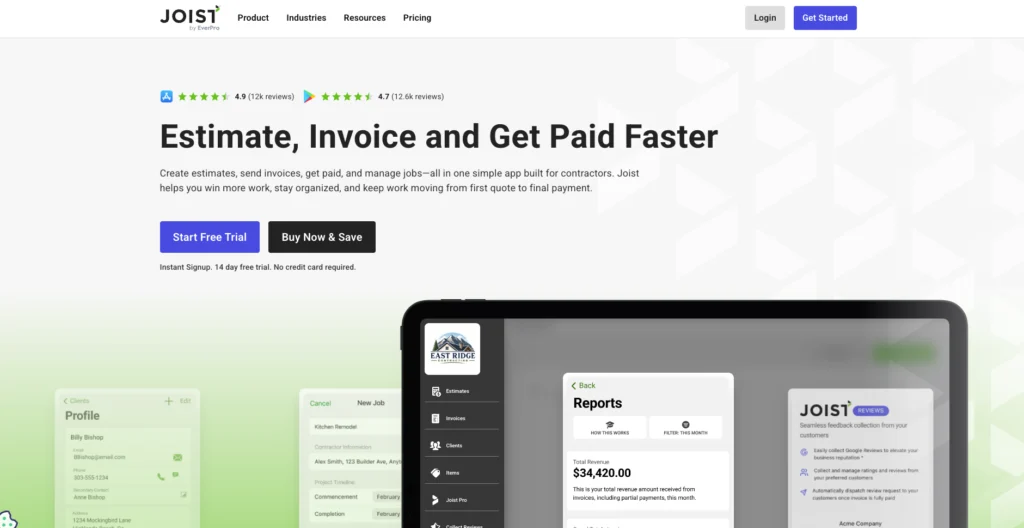
Joist gives independent painters a straightforward way to turn those details into an estimate before they get lost in the next job.
You can add labor, materials, markups, photos, paint details, prep, coats, finishes, and scope information from mobile or web. Then, send the estimate to the customer for approval.
Once the work moves ahead, the same job can carry into invoicing and payment. Joist supports digital signatures, deposits, milestone payments, and online payments, so you are not starting from a blank document at each stage.
Joist Run also adds job organization and visit scheduling for painters who need a little more structure around the workday.
What Joist does not try to be is a specialist takeoff system.
Commercial painters who regularly estimate from construction drawings may get more from STACK or ScopeTakeoff. Painters who want detailed production-rate calculations by surface may prefer PaintScout.
For a solo painter or a small painting business that mainly needs to quote, get approval, invoice, and get paid, Joist simplifies the process.
Joist Pros and Cons
| Pros | Cons |
|---|---|
|
|
Joist Pricing
Joist currently offers four plans:
- Basics: $10 per month for up to five documents.
- Pro: $17 per month for unlimited documents and clients, plus features including branding, line items and document photos, work orders, expense tracking, and QuickBooks sync.
- Elite: $32 per month, adding tools including change orders, sales reporting, business reports, and review features.
- Run: An introductory $70 per month, adding job organization and visit scheduling to Elite features.
Annual plans include two months free. Joist’s 14-day free trial provides access to Run features and does not require a credit card.
Bottom Line: Choose Joist when you want to create the painting estimate, get approval, and keep the same job moving through invoices and payments without building your business around a complex estimating system.
Need a simpler way to create your next painting estimate?
Start with a free estimate template, add your labor, materials, and job details, then customize it for the customer.
Browse Free Estimate Templates
2. PaintScout: Best for Production Rate-Based Estimates
- Starting price: $119 per month, or $99 per month billed annually
- Free option: 14-day trial, no credit card required
- Best for: Painting businesses that want estimates built around painter-specific production rates.
PaintScout is built for painters who want their own production numbers to drive the estimate.
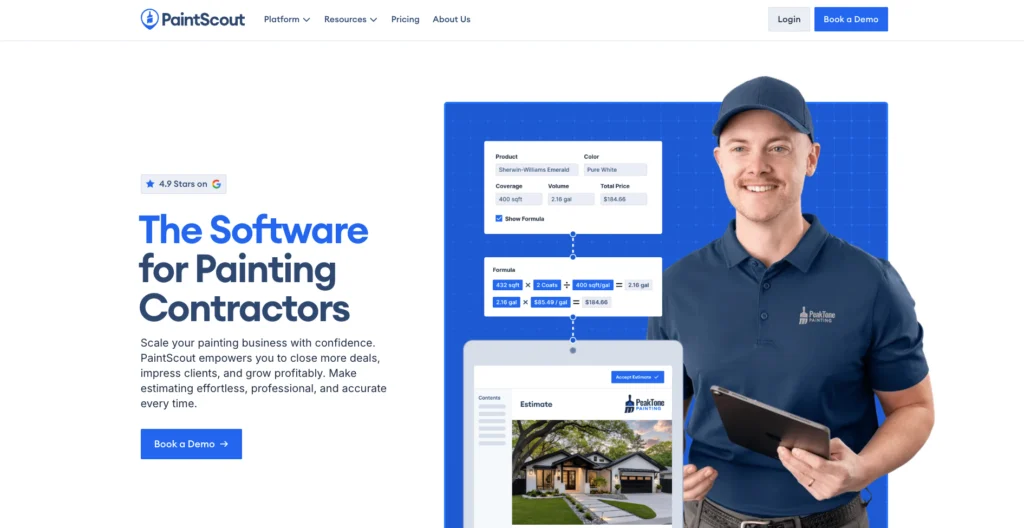
Instead of pricing every surface from a generic line-item list, you can estimate using measures such as square feet per hour, linear feet per hour, hours per item, or price per square foot. You can also adjust rates for one, two, three, or four coats.
That matters when different parts of the job move at different speeds.
Walls can be estimated by square footage. Baseboards can be measured in linear feet. Doors and windows can be calculated by item. PaintScout can also use coverage rates, surface dimensions, and coat counts to work out material quantities.
For a painting company that already knows how quickly its crew handles walls, trim, doors, and other surfaces, that turns experience into a more repeatable estimating system.
PaintScout also goes beyond the estimate. Its Sales platform includes proposals, deposits, payments, follow-ups, and customer communication, while the Operations add-on brings in CRM, scheduling, crews, and production management.
The trade-off is cost.
Sales starts at $119 per month, and adding Operations or more users pushes the monthly price higher.
PaintScout Pros and Cons
| Pros | Cons |
|---|---|
|
|
PaintScout Pricing
PaintScout Sales costs $119 per month when billed monthly. or $99 per month when billed annually.
One user is included.
The Operations add-on costs $99 per month monthly or $79 per month annually. Additional team seats cost $20 per user per month.
A 14-day trial is available without a credit card. PaintScout also sells optional assisted-onboarding packages for businesses that want help setting up production rates, templates, and workflows.
Bottom Line: Choose PaintScout when painter-specific production rates, surface calculations, coat counts, and material coverage are more important than keeping software costs low.
Related: Best Estimating Apps for Small Contractors in 2026
3. QuoteIQ: Best for AI-Assisted Estimating and Broader Field Service
- Starting price: $29.99 per month
- Free option: 14-day trial; credit or debit card required
- Best for: Painting businesses that want estimating, AI tools, scheduling, and CRM in the same platform.
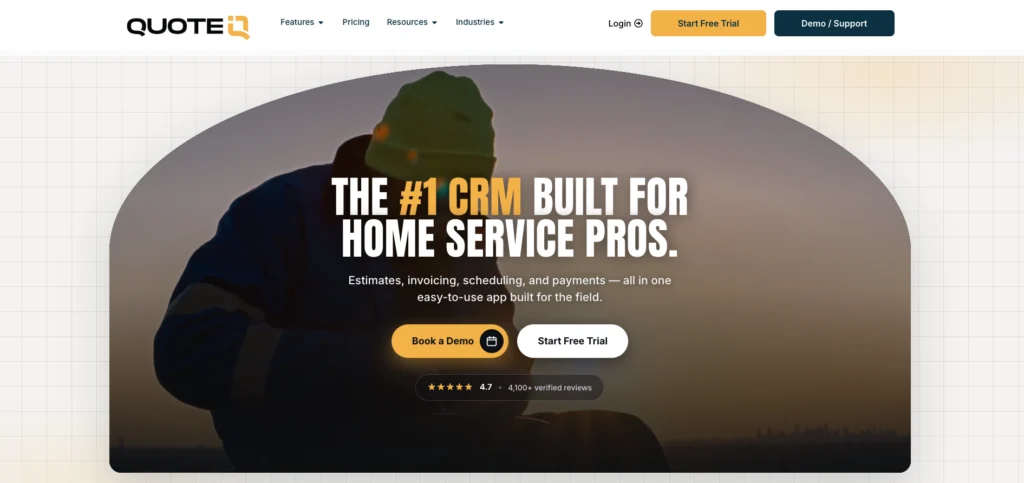
QuoteIQ combines estimating with a broader set of field-service tools.
The Essentials plan covers CRM, estimates, invoices, and scheduling. Higher tiers add job costing, accounting sync, dispatch, routing, inventory, and GPS tracking.
Its AI Estimator is available across plans through monthly IQ Credits.
QuoteIQ can use job descriptions and property photos to suggest line items and ask follow-up questions. This gives painters a useful starting point, but measurements, quantities, labor, and pricing still need to be checked before the quote is sent.
MapMeasure Pro adds another estimating option for exterior work. The Beginner plan can measure property areas and perimeters using satellite imagery.
That can be useful when you want to start sizing an exterior job before or between site visits.
The benefit of QuoteIQ is that estimating does not stand alone. It can connect with scheduling, CRM, job costing, customer communication, and field operations as the business grows.
The trade-off is that many of those stronger capabilities require higher-priced plans.
QuoteIQ Pros and Cons
| Pros | Cons |
|---|---|
|
|
QuoteIQ Pricing
Current monthly pricing is:
- Essentials: $29.99 per month for one user.
- Beginner: $74.99 per month for two users, adding MapMeasure Pro and other tools.
- Pro: $149.99 per month for four users, adding features including job costing and QuickBooks sync.
- Elite: $299 per month for 10 users, adding broader operations tools such as dispatching, route optimization, inventory, and GPS tracking.
- Max: $699 per month with unlimited users.
Each tier includes a monthly allowance of IQ Credits for AI features. QuoteIQ offers a 14-day trial, but requires a payment card to start it.
Bottom Line: Choose QuotelQ if you need estimating, CRM, scheduling, and AI tools in one platform.
4. ScopeTakeoff: Best for Commercial and New-Construction Painting Estimates
- Starting price: $100 per person per month
- Free option: 14-day trial, no credit card required
- Best for: Painting contractors bidding commercial or new-construction work from plans.
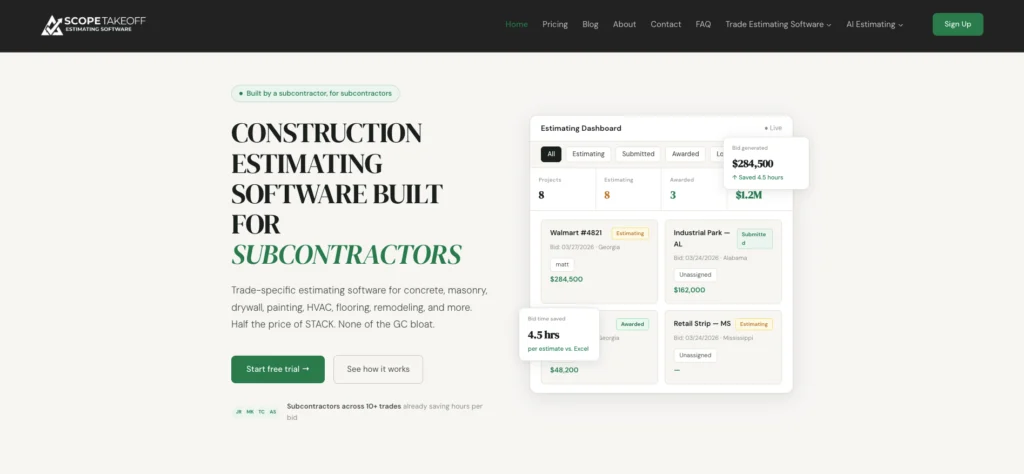
ScopeTakeoff is built for painters who estimate from construction drawings.
You can upload PDF plans and measure walls, ceilings, trim, and other painting scope directly from the drawings. Painting assemblies then help turn those measurements into material and labor quantities.
That keeps the takeoff tied to the estimate instead of moving measurements into a separate spreadsheet.
ScopeTakeoff can also calculate paint quantities using coverage rates and coat counts.
For commercial work, it can produce a Schedule of Values from the estimate and a customer-facing proposal.
Estimating jobs does not end when the quantities are measured. The bid still needs to be organized in a format the GC can use.
The downside is that ScopeTakeoff stays focused on estimating and takeoff. Residential painters who mainly quote onsite may get more value from a simpler mobile estimating app.
ScopeTakeoff Pros and Cons
| Pros | Cons |
|---|---|
|
|
ScopeTakeoff Pricing
ScopeTakeoff uses one pricing model: $100 per person per month.
Every trade library and feature is included. There is no annual contract or setup fee, and subscriptions can be canceled month to month.
The 14-day trial includes the full platform and does not require a credit card.
Bottom Line: Choose ScopeTakeoff when PDF plan measurement, painting assemblies, and commercial bid output are central to the way you estimate work.
Related: How To Estimate a Paint Job in 7 Easy Steps
5. STACK: Best for Digital Blueprint Takeoffs
- Starting price: $249 per user per month, billed annually
- Free option: Limited seven-day free account
- Best for: Painting estimators who spend significant time measuring construction plans.
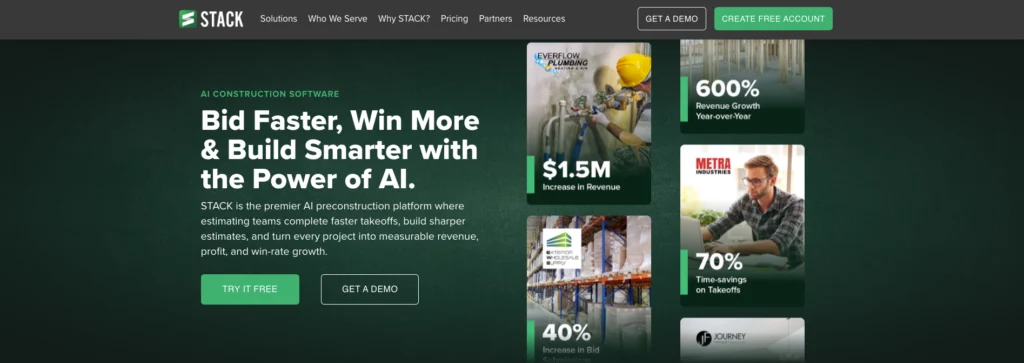
Before you can price a large commercial painting job, you may need to measure hundreds of walls, ceilings, and other surfaces.
That is something STACK is built to handle.
Upload the plans, measure areas and linear dimensions, exclude openings such as doors and windows, and connect the resulting quantities to painting materials and labor.
Instead of manually scaling each drawing and copying the numbers into a separate estimate, you can keep the takeoff and pricing workflow in the same platform.
STACK also gives estimating teams tools for plan organization, revision comparison, search, custom assemblies, and proposals.
That level of takeoff capability comes at a much higher price than a mobile estimating app.
Premium starts at $249 per user per month with a 12-month commitment. Pro costs $299 per user per month, and some AI takeoff tools are optional add-ons.
STACK makes the most sense when plan measurement is a regular part of the estimating workload and not something you do a few times a year.
STACK Pros and Cons
| Pros | Cons |
|---|---|
|
|
STACK Pricing
STACK’s current Takeoff & Estimate pricing starts with:
- Premium: $249 per user per month, billed annually.
- Pro: $299 per user per month, billed annually.
Pro is positioned as the fully integrated takeoff-and-estimating tier. AI area, wall, door/window, and aerial takeoffs are listed as optional add-ons on eligible plans.
STACK also offers a limited free account. You can work on up to two concurrent projects for seven days and perform up to 10 takeoffs per project. Features including exports, cost data, API access, and Autocount are restricted.
Bottom Line: Choose STACK when blueprint measurement is the biggest estimating bottleneck, and you bid enough plan-based work to justify a dedicated takeoff platform.
Related: How To Bid Commercial Painting Jobs: 7 Steps and Tips
How to Choose Estimating Software for Your Painting Business
Don’t start by comparing feature counts. Start with the part of the estimating process that is taking too long, causing mistakes, or forcing you to redo work.
Decide Whether You Need Estimating or Digital Takeoff
Estimating and takeoff are related, but they solve different problems.
A residential painter may walk a property, measure the rooms, check the wall condition, count doors, discuss colors, and build the quote that afternoon.
A commercial estimator may start with a plan set and need to measure hundreds of surfaces before there is even a price to discuss.
If most of your work starts with a walkthrough, prioritize fast estimate creation, mobile access, clear scope details, and customer approval.
If most of your work starts with drawings, prioritize PDF takeoff, assemblies, plan revisions, and commercial bid output.
Match the Tool to the Work You Actually Do
The best software depends on the type of jobs you quote most often.
Residential painters may care more about mobile estimates, photos, clear scope, deposits, and approval. Painters who use production rates will need better control over surface quantities, coat counts, labor rates, and paint coverage.
Commercial painters are more likely to need plan takeoffs, assemblies, SOVs, and revision tools. Solo painters may value simplicity and low cost, while a growing company may need scheduling, CRM, and shared job records.
A platform can be excellent software and still be the wrong fit for your business.
Check How It Handles Labor, Prep, and Coats
Square footage only tells part of the story.
Two rooms with the same wall area can take very different amounts of time to paint. One may need light patching and two straightforward coats. The other may involve stain blocking, extensive masking, dark-to-light color changes, detailed trim, and awkward access.
Those missed hours add up. The U.S. Bureau of Labor Statistics reports that the median hourly wage for construction and maintenance painters was $23.75 in May 2025. At that rate, underestimating just eight hours of labor means about $190 in wages before payroll costs or overhead.
Your estimating software needs sufficient flexibility to account for differences in labor, materials, prep, coats, equipment, markup, and optional work.
If the software forces every job into the same simple calculation, it may make estimating faster without improving it.
Test the Workflow with a Real Job
Do not judge the software by clicking around an empty account.
Take a recent estimate and rebuild it.
Add the customer, enter the scope, price the labor and materials, attach the job details, send the estimate, record approval, and move the accepted work into the next stage.
If you normally quote from the driveway, test it from your phone. If you bid from plans, upload a real drawing set.
A realistic job will tell you much more than a product demo.
Do Not Pay for Features You Will Never Use
More software is not automatically better software.
A solo painter may never need technician GPS, route optimization, enterprise reporting, or a full dispatch board.
A painting company running several crews may depend on those tools every day.
The best value comes from solving the bottleneck you already have without adding unnecessary cost and complexity.
Related: The Best Estimating and Invoicing Software for Contractors
Final Verdict
Joist is our best overall choice for independent painters and small painting businesses.
It connects estimates to customer approval, invoicing, and payments, so you can keep the job moving without reentering the same details.
The result is less repeated admin and a shorter path from quote to payment. Joist starts at $10 per month.
FAQ
How much does painting estimating software cost?
The final cost depends on user limits, estimating features, takeoff tools, scheduling, CRM, and whether the software requires an annual contract.
Can painting estimating software calculate labor and materials?
Other apps provide a flexible estimate builder but require you to enter your own labor hours, material quantities, and prices.
Can painters create estimates from their phones?
For onsite estimating, look for an app that lets you add scope details, labor, materials, photos, pricing, and customer approval without returning to a desktop.
Is there free painting estimating software?
Some paid estimating platforms also offer free trials or limited free accounts, which can be useful for testing a real painting job before committing to a subscription.
Can painting estimating software turn an estimate into an invoice?
That saves you from entering the customer, scope, labor, materials, and pricing again once the job is finished. Check whether deposits, approved changes, and previous payments are also reflected on the same invoice.
Article Sources
- U.S. Bureau of Labor Statistics, Painters, Construction and Maintenance, August 27, 2026.
- Federal Reserve Banks, 2025 Report on Employer Firms: Findings from the 2024 Small Business Credit Survey, March 27, 2025.
- U.S. Bureau of Labor Statistics, National Employment and Wage Data by Occupation, May 2025, May 15, 2026.