

Even if you’re a startup contracting business, you’ve no doubt had to write up an estimate or two for prospective clients. Creating estimates is essential for gaining new business, but the task can feel overwhelming and time-consuming.
There are free options for building estimates, like pen and paper or templates. And there are paid software platforms that can also get the job done. But which one is right for your company?
Keep reading to learn whether an estimating template vs. software is best for your needs. We’ll explore the pros and cons of each method so you can see which one works for creating your estimates.
While there’s no one method that’s best for everyone, more and more contractors are choosing software today. The accuracy, efficiency, and time savings afforded by software make it a top choice. And you can personalize every estimate to cater to customers, look professional, and win more business.
Estimating for Contractors: Why Your Method Matters

Creating estimates is a key part of contracting, whether you’re a remodeler, a plumber, or a garage door specialist. This is where you inform the client about what the project will cost, and it often includes a timeline as well. So, the contractor estimating tools you choose are important.
First, you want to make the best use of your time. You want more time to devote to billable tasks, and you want to spend fewer hours on administrative work. Sure, you land accounts with your estimates, but you’re not getting paid for the time you spend creating them, right?
A well-crafted estimate makes you look professional in the eyes of a customer. They know there will be few surprises and that everyone is on the same page.
FROM ONE OF OUR PARTNERS — How to Write a Job Estimate
Also, your estimate can serve as a map for the actual job when it comes to ordering supplies, staffing, budgeting, and sticking to a timeline. Those are some of the key pieces of information you need to write up an estimate, along with any special requests from the customer.
Other components of an estimate include overhead and profit margins. You need to make sure you’re covering the costs of running your business. Examples of these expenses include office space, utilities, software, insurance, and advertising. Then you need to add a profit margin so you go beyond breaking even to making money on every project.
There are three basic ways contractors can create estimates:
- By hand—the traditional, non-digital way
- Using a template—filling in a predetermined form
- Using software—a more customized digital approach
Keep reading to learn when each method is best. And you’ll get more insight into when free tools are adequate and when it’s time to upgrade for the sake of your business.
RELATED ARTICLE — How to Make an Estimate for Construction (in 7 Steps)
Estimating Method #1: Pen and Paper
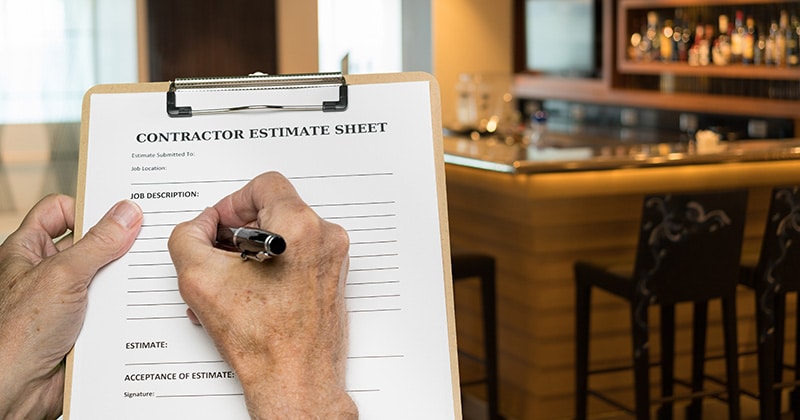
Pen and paper estimates are how bids used to be done before the advent of the computer. It was handy if you were standing right there with the customer and didn’t want to risk losing a job. Some contractors still use this method.
To create hand estimates, most contractors would carry a pad with carbon copy capability. Often, it was the same pad they used to write out invoices when a job was finished.
Another method was using a typewriter or word processor to create the bid. Then it was printed off and mailed or hand-delivered to the client.
As mentioned above, this method may seem best if the client wants an estimate on the spot while you’re sizing up a job. It’s also good for super simple projects that don’t require a lot of thought.
For example, a one-person installation of new kitchen and bath faucets might not require a more complex estimate. You might even charge flat rates, versus variable rates, for this type of work, making a manual estimate appropriate some of the time.
However, pen and paper estimates can look amateurish. They also leave you open to human error for more complicated work. You could easily forget something that cuts into your profits in the end.
What happens when that occurs? You can’t go back to the customer and ask for more money. Instead, you have to absorb the cost, meaning you make less on the project.
Estimating Method #2: Free Templates

The next step-up after traditional pen and paper is free contractor templates. You might find these online or create them in-house for you and your employees to use. Some templates are almost free and can be purchased online for a few dollars from places like Etsy.
A template is a framework for building an estimate. It gives you space to fill in all those key elements listed above, so you don’t forget anything.
Templates are ideal under two conditions. First, they need to include all the elements you need in an estimate. If you find a template online, it has to reflect your needs, or the estimate will be incomplete.
Second, templates are great if you do the same kind of work on repeat. You can just fill in the numbers for supplies and labor, adding your overhead and profit margin at the end. Or you can build your profit into the other sections, if you don’t want to break that out for the customer.
Contractor Resources from Joist — Free Estimate Templates >
A template for a contracting estimate can be printed out and filled in by hand. Alternatively, it can be typed up on a computer to be printed or emailed when it’s complete.
Where templates fall down is in creating more customized estimates. If your company does a lot of different types of jobs, templates may not be right. Think of a template like a printed form from the IRS to calculate and submit your income tax.
Contractor software, on the other hand, is like using a tax preparation program on your computer. It has more personalized options. Plus, you can connect it to other financial sources of information for faster and more complete tax submission.
Templates also tend to be a one-person estimate generator. If you need to get input from multiple people, they don’t really work. You may want to have several employees contributing to the estimate, which you can do with estimating software. Or you, as the boss, could be traveling and want to work on the estimate remotely.
Estimating Method #3: Contractor Software

Contractor software that includes creating estimates has a number of advantages over the other two methods.
As mentioned earlier, you can better customize your estimates. This is ideal if you do a lot of complicated projects or different types of work with every client. You can break down required supplies and labor hours in greater detail.
It also improves speed without sacrificing accuracy—a huge plus. This and the ability to personalize estimates make your business look more professional. It lets you compete with bigger companies even if you’re just a small outfit of a half-dozen people or fewer.
As mentioned just above, software platforms also allow anyone with login access to participate. This is ideal when creating an estimate for a big project with lots of little pieces that must come together.
What’s one of the biggest reasons contractors turn to a software solution like Joist? It’s the ability to integrate estimates with other functions. With Joist, you have the capability of connecting estimates to invoicing and payments in the same tool.
Remember, you’re looking for ways to cut the amount of time you spend on non-billable tasks. So, having those functions connected makes running the business faster and smoother.
Also, having all your financial elements under one roof, so to speak, makes it easier to generate reports and make data-driven decisions. This is essential if you want to apply for a loan or scale your business, for example.
RELATED ARTICLE — Estimating Construction Materials: A Guide for Contractors (with Formulas)
Template or Estimating Software? 10 Questions to Ask Yourself
Not sure if you should use a template or contractor software to create your estimates? Here are seven questions to ask to help determine which method is right for your business:
| The Contractor’s Checklist: Pen & Paper or Estimating Software? | Yes/No | |
| 1 | Is your business currently a “side-hustle” with only 1–2 small jobs per month? Yes? Recommendation: Manual estimating is likely all you need. Paying for a software subscription before you have consistent volume can eat into your limited margins. | |
| 2 | Are your jobs highly standardized with virtually zero variation in materials? Yes? Recommendation: Manual A simple printed price sheet or a basic notepad might be faster than opening an app if you’re just quoting the same “flat-rate” service over and over. | |
| 3 | Do you struggle with “double entry” (writing notes, then re-typing them at home)? Yes? Recommendation: Software You’re losing billable hours to administrative rework every single day. Software lets you “type it once” on-site and send it before you even start your truck. | |
| 4 | Do you often work in remote areas with zero cell service or data connectivity? Yes? Recommendation: Manual In “connection dead zones,” a physical clipboard is the only tool that won’t let you down in front of a customer. | |
| 5 | Have you ever forgotten to charge for a material or “extra” work item? Yes? Recommendation: Software Software acts as a digital checklist to ensure you aren’t paying for the client’s materials out of your own pocket. | |
| 6 | Want to offer Good, Better, Best options but the math’s too time-consuming? Yes? Recommendation: Software On paper, tiered pricing is a slow math project; with software, it’s a one-tap upsell that usually justifies a higher price point instantly. | |
| 7 | Does it usually take you more than 24 hours to get a bid back to a client? Yes? Recommendation: Software You’re likely losing jobs to faster competitors. Digital tools allow you to close the deal while the customer’s excitement is at its peak. | |
| 8 | Are you unsure of your exact profit margin until after a job is fully paid? Yes? Recommendation: Software You’re gambling with your bank account. Software calculates your overhead and profit in real-time so you know you’re making money before you pick up a tool. | |
| 9 | Do you prefer “pencil and paper” to avoid the learning curve of new tech? Yes? Recommendation: Manual Manual might better for your mental health in the short term, though it may limit your ability to scale or grow later on. | |
| 10 | Do you find it awkward or difficult to follow up on sent estimates? Yes? Recommendation: Software You’re flying blind. Software notifies you the moment a client opens your bid, giving you a “warm” reason to call and answer any questions. |
The Verdict
- Mostly “Manual” Recommendations: Keep the Clipboard. Your business currently favors simplicity, low overhead, or specific environmental needs. Software might be “overkill” for your current workflow. Stick to your manual roots until you feel the “admin pinch” of more complex jobs.
- Mostly “Software” Recommendations: Switch to Joist. You are currently experiencing “Admin Leaks.” Your manual process is costing you billable time, profit margin accuracy, and the ability to upsell. Moving to software isn’t just about being “high-tech”—it’s about reclaiming your evenings and winning jobs faster.
Create Quick & Accurate Estimates
With our easy-to-use mobile estimating tool, Joist helps you save time, look professional, and get signatures in seconds to win more jobs, faster. Use templates, cost markups, deposit requests, payment schedules, job photos, and more to start estimating like a pro.
Already a Joist user? Log in to create an estimate today.