Joist works well for contractors who want a straightforward way to create estimates, get customer approval, send invoices, and collect payment.
But it won’t suit every business.
If you need more in-depth crew scheduling, full construction project management, greater client collaboration, or simply a free starter plan, another platform may be a better fit.
We compared six of the best Joist alternatives based on the specific type of contractor each one suits best.
Joist Alternatives at a Glance
| Alternative | Best for | Why choose it over Joist? | Starting price |
| Contractor+ | Budget-conscious solo contractors | Free plan for basic estimates and invoices | Free |
| Jobber | Service businesses managing appointments | Deeper scheduling, and field-service tools | $29/month, billed annually |
| Housecall Pro | Growing home-service companies | Scheduling, dispatch, routes, GPS, and technician management | $59/month, billed annually |
| Contractor Foreman | General contractors managing complex jobs | Construction project management and job costing | $49/month |
| Houzz Pro | Remodelers and design-led businesses | Client collaboration, design, and remodeling tools | $249/month for Pro |
| Buildertrend | Established residential builders | Full construction management across larger projects | Custom quote |
What Are the Best Alternatives to Joist for Contractors?
The best alternative depends on what you need Joist to do differently. Some tools are cheaper, while others go further into scheduling, field service, remodeling, or full construction project management.
1. Contractor+ — Best Joist Alternative for Contractors on a Budget
Starting price: Free
If you’re just getting started and don’t want another monthly subscription, Contractor+ is worth a look.
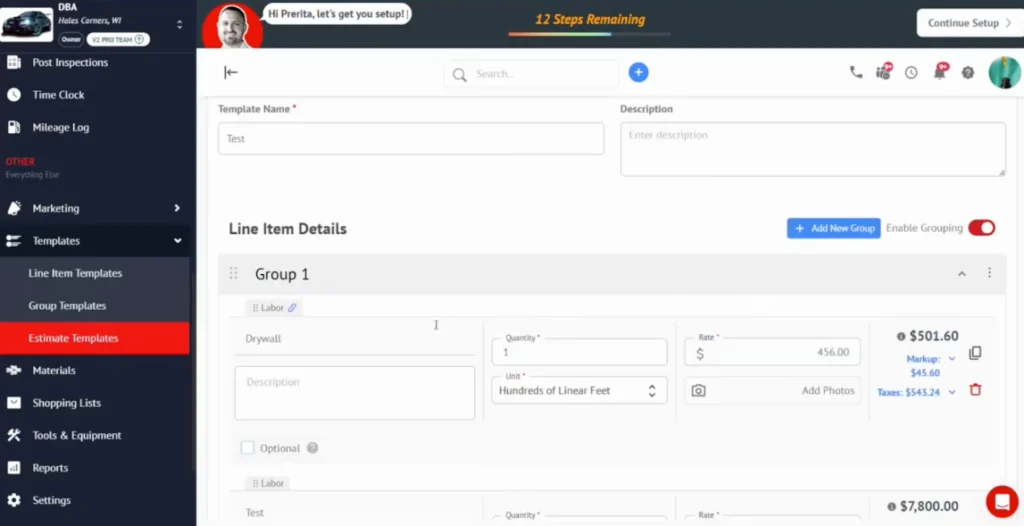
Its free plan gives you basic CRM tools and up to five estimates or invoices each month. For a contractor who only quotes a few jobs, that may be all you need.
That’s a sizable part of the market. The U.S. Census Bureau counted nearly 2.9 million construction businesses with no paid employees in 2022, generating $238 billion in receipts.
Why Choose Contractor+ Instead of Joist?
The free plan is the big draw.
Joist Basics also limits you to five documents per month, but costs $10. Contractor+ lets you stay at $0 while your document volume is low.
Once the business gets busier, Contractor+ Pro costs $29 per month and removes the document and client limits. It also adds scheduling, contracts, payments, financing, and local cost data.
Where Joist Still Has the Advantage
Free doesn’t necessarily mean cheaper in the long run.
Joist Pro costs $17 per month for unlimited documents and clients, compared with $29 for Contractor+ Pro. Joist Pro also includes contracts and eSignatures, work orders, branding, and QuickBooks Online integration.
So Contractor+ makes the most sense while you can stay on the free plan. If you’re quoting and invoicing jobs every week, Joist may offer more for less.
Best Fit: New contractors and solo tradespeople with low monthly document volume.
Related: The Best Contractor Invoicing Software for 2026
2. Jobber — Best Joist Alternative for Scheduling and Field Service
Starting price: $29/month, billed annually
Jobber is a stronger fit when scheduling jobs is becoming just as important as quoting and invoicing them.
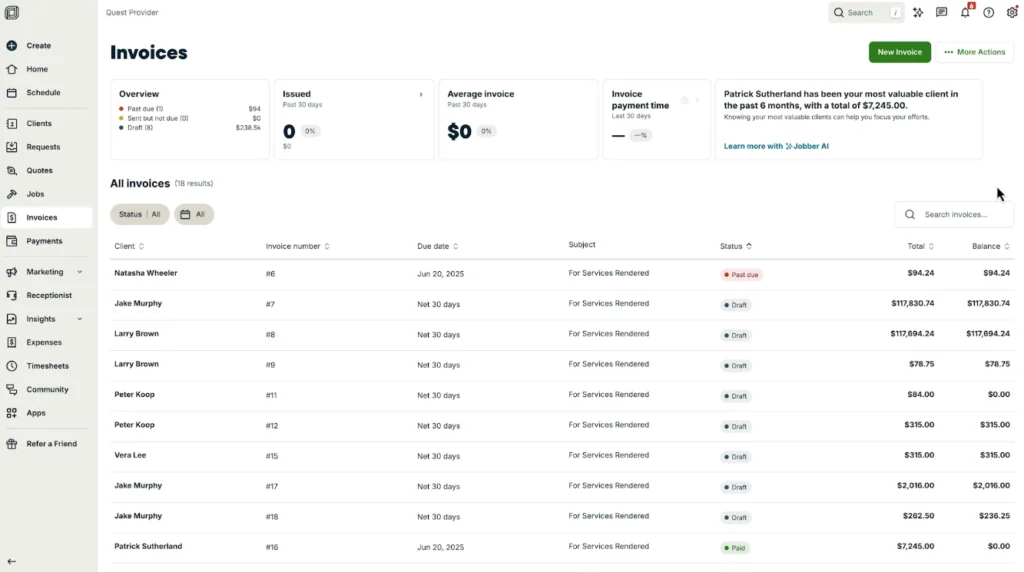
Its Core plan combines online booking and job scheduling with quotes, invoices, payments, and customer management.
Why Choose Jobber Instead of Joist?
Jobber goes further into full field-service management.
You can schedule jobs, manage recurring work, communicate with customers, and coordinate a growing team alongside your quoting and invoicing workflow.
There’s plenty of demand for those field-service teams. Across installation, maintenance, and repair occupations, the Bureau of Labor Statistics projects around 608,100 openings each year through 2034.
Higher plans add tools like QuickBooks Online sync, time and expense tracking, job costing, workflow automation, and more advanced customer communication.
Where Joist Still Has the Advantage
Jobber Core starts at $29 per month with annual billing, compared with $17 for Joist Pro.
If you work alone or don’t need to manage a busy service calendar, those extra field-service tools may be unnecessary.
Joist keeps things more focused on estimates, approvals, job paperwork, invoices, and payments. But if you’re just entering the field service management side, Joist’s New Solo plans adds jobs and scheduling to its existing estimate to payment workflow. Joist Solo could be a great option for solo contractors who want some light scheduling features without having to justify Jobber’s full field service platform for larger teams..
Best Fit: Service businesses that need scheduling and customer management alongside quoting and invoicing.
Related: Joist vs Jobber — Which Contractor App Is Right for You?
3. Housecall Pro — Best Joist Alternative for Growing Home-Service Businesses
Starting price: $59/month, billed annually
Housecall Pro is a better fit for home-service businesses that need to manage technicians, quotes, and invoices.
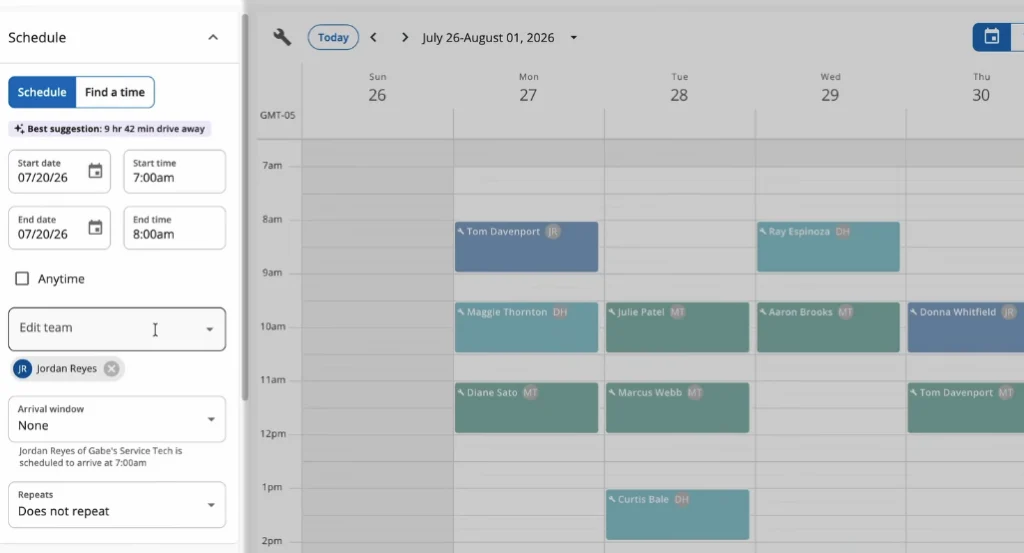
Its Basic plan combines scheduling and dispatch with online booking, estimates, invoicing, payments, financing, job costing, and a price book.
Why Choose Housecall Pro Instead of Joist?
Housecall Pro goes further once you have employees out in the field.
Higher plans add routes, employee GPS tracking, photo reports, recurring service plans, and route optimization. That gives you more control over where technicians are going, what work they are completing, and what needs to happen next.
For a growing HVAC or plumbing business, this can bring scheduling, field work, invoicing, and repeat service into one system.
Where Joist Still Has the Advantage
Housecall Pro costs considerably more with a heavy focus on team management and dispatch.
Its Basic plan starts at $59 per month with annual billing, compared with $17 for Joist Pro.
If you mainly manage project-based work and don’t need technician tracking, routes, or dispatch, Joist gives you a simpler way to handle estimates, approvals, job paperwork, invoices, and payments.
Best Fit: Growing home-service businesses managing multiple technicians, appointments, and repeat customers.
Related: Joist vs Housecall Pro — Contractor Software Comparison
4. Contractor Foreman — Best Joist Alternative for Construction Project Management
Starting price: $49/month
Contractor Foreman is a stronger fit when managing the project itself has become more complicated than managing the paperwork.
It combines estimating and invoicing with scheduling, job costing, time cards, daily logs, inspections, permits, change orders, punch lists, and client portals.
Why Choose Contractor Foreman Instead of Joist?
Contractor Foreman gives you more visibility across longer and more complex jobs.
Its scheduling tools include Gantt charts, critical-path tracking, and progress updates, while job-costing and site-management features help you track how work is progressing against the plan.
That kind of coordination is a core part of construction management. The Bureau of Labor Statistics reports that construction managers typically handle budgets, schedules, subcontractor coordination, progress reporting, and handling delays, with 550,300 people working in the occupation in 2024.
If subcontractor coordination is becoming part of that problem, see our guide to managing subcontractor schedules.
Where Joist Still Has the Advantage
That extra project-management depth also means more software to manage.
A solo electrician, roofer, or remodeler may not need detailed schedules, inspections, permits, and daily site logs.
Joist keeps the workflow more focused on estimates, approvals, work orders, change orders, invoices, payments, and reporting without requiring a full construction-management platform.
Best Fit: General contractors and construction businesses managing several active projects, crews, costs, and schedules.
5. Houzz Pro — Best Joist Alternative for Remodelers and Client Collaboration
Starting price: Free plan available; Pro costs $249/month
Houzz Pro is a stronger fit when a project involves more than quoting the work and collecting payment.
For longer remodels, homeowners may need access to plans, selections, schedules, progress updates, photos, and approvals throughout the job.
Why Choose Houzz Pro Instead of Joist?
Houzz Pro goes deeper into remodeling, design, and client collaboration.
Its Pro plan includes estimates, invoicing, online payments, CRM, assemblies, and 3D floor-planning tools. The Custom plan adds takeoffs, project schedules, selections, daily logs, budgets, bid management, change orders, and deeper financial reporting.
The Client Dashboard is another major difference. It gives homeowners a central place to view project information, including messages, schedules, files, photos, selections, plans, and updates.
That can be useful on longer projects where keeping the customer informed is part of managing the job.
Where Joist Still Has the Advantage
Houzz Pro is a much bigger financial commitment.
Pro starts at $249 per month, compared with $10 to $32 for Joist’s standard plans. Several of Houzz Pro’s more advanced construction tools also require a Custom plan.
If you don’t need design tools, selections, detailed project schedules, or extensive client collaboration, Joist keeps the workflow simpler and considerably cheaper.
Best Fit: Remodelers and design-build companies managing longer homeowner projects with more client involvement.
Related: Best Estimating Apps for Small Contractors in 2026
6. Buildertrend — Best Joist Alternative for Established Residential Builders
Starting price: Custom quote
Buildertrend is a much bigger step up from Joist than most alternatives on this list.
It’s built for residential builders and remodelers who need to manage multiple projects, teams, budgets, and clients in a single system.
Why Choose Buildertrend Instead of Joist?
Buildertrend goes much deeper into construction management.
It combines estimates and payments with project schedules, budgets, purchase orders, takeoffs, daily logs, punch lists, change orders, file management, and client portals.
That makes it better suited to businesses coordinating several complex projects rather than managing each job mainly from estimate to payment.
Buildertrend says its platform is designed for builders handling at least five projects per year or complex multi-phase builds. Pricing is custom, with unlimited projects and users available.
Where Joist Still Has the Advantage
Buildertrend is more software than many contractors need.
If you aren’t coordinating project managers, subcontractors, budgets, schedules, and several large builds, that extra depth may add unnecessary complexity.
Joist keeps the workflow simpler and more focused on estimates, approvals, job paperwork, deposits, invoices, and payments.
Best Fit: Established home builders and remodeling companies managing multiple large or multi-phase residential projects.
Related: Joist vs Buildertrend — Which Contractor Software Fits Your Business?
How to Choose the Right Joist Alternative
The best Joist alternative isn’t necessarily the one with the most features. It’s the one that takes up the most time in your business and solves the problem.
Start with Your Biggest Bottleneck
Think about what is hardest to manage each week.
If quoting and invoicing are the problem, you don’t need a full construction management platform. If you’re struggling to keep several technicians on schedule, a simple invoicing app won’t be enough.
Start with the problem, then look for the software built to solve it.
Match the Software to Your Type of Work
Different contractors need different workflows.
Service businesses often need scheduling and dispatch. Project-based contractors may care more about estimates, deposits, approvals, and change orders. Remodelers need stronger client communication, while larger builders may need budgets, schedules, and project-wide visibility.
Choose software for the way your business works today.
Compare the Plan You Actually Need
Starting prices only tell part of the story.
Check document and user limits, which plan includes QuickBooks, whether scheduling or job costing requires an upgrade, and whether the advertised price depends on annual billing.
Contractor+ starts free, for example, but unlimited estimates and invoices require its $29 Pro plan. Joist Pro includes unlimited documents for $17 per month.
Avoid Paying for Features You Won’t Use
More features can also mean more cost and complexity.
If you mainly need to create estimates, get approval, manage paperwork, and collect payment, a focused contractor app may be more useful than software designed to manage a large construction company.
When Is Joist Still the Better Choice?
More software isn’t always better.
If your main workflow is still creating estimates, getting approval, managing job paperwork, invoicing, and collecting payment, moving to a larger platform can mean paying for features you rarely use.
Joist keeps the estimate-to-payment workflow together without turning it into a full field-service or construction-management system.
Basics costs $10 per month for up to five documents. Pro costs $17 and adds unlimited documents and clients, contracts and eSignatures, work orders, branding, and QuickBooks Online. Elite costs $32 and adds change orders, reporting, sales dashboards, and more advanced document controls.
All plans also include a 14-day full access trial with no credit card required.
Switch when another platform solves a problem you actually have. If it doesn’t, keeping things simple may be the better move.
For more options focused on estimates, invoices, and payments, see our best contractor invoicing software guide.
FAQ
What is the best alternative to Joist?
Is there a free alternative to Joist?
Is Jobber better than Joist?
Is Housecall Pro better than Joist?
Is Joist good for general contractors?
Should I switch from Joist to construction management software?
Article Sources
- U.S. Census Bureau, Census Bureau Statistics Shed Light on Self-Employment by Sector and State During Small Business Week, May 6, 2025.
- U.S. Bureau of Labor Statistics, Installation, Maintenance, and Repair Occupations, August 28, 2025.
- U.S. Bureau of Labor Statistics, Construction Managers, August 28, 2025.