The best contractor invoicing software lets you build an estimate on site, turn it into an invoice, and collect payment without retyping anything. This guide compares nine popular tools on price, payments, accounting sync, and the type of contractor each suits, so you can shortlist two or three and try them on a real job.
Key Takeaways
- Pick the work you manage most often. A tool built for estimates and invoices suits a one-person business, and scheduling and dispatch tools suit a crew.
- Check payment fees and the monthly price. Card processing rates differ between tools and add up on large invoices.
- Accurate records make bookkeeping and tax preparation easier, so a tool that syncs with your accounting software saves rework.
- Use free trials to test real workflows. Most tools here offer 7-30 day trials, so test with a real estimate and invoice rather than a demo.
- Promotional pricing ends. Several vendors advertise discounts for the first months, so budget on the list price.
What to Look For in Contractor Invoicing Software
Before comparing tools, decide which features your business will use every week. This checklist covers the features that matter most for contractors.
- Estimates that become invoices. Look for a tool that converts an accepted estimate into an invoice without re-entering the job details. Our guide to estimates, proposals, and quotes explains the differences.
- Professional templates. Look for clean, branded documents with your logo, terms, and tax lines. If you want to start with a document, our invoice templates are free to use.
- Online and on-site payments. Card, bank transfer (ACH), and Tap to Pay can make collecting payment more convenient. Read our explainer on tap to pay and our guide to online payment options for contractors.
- Deposits and progress billing. Larger jobs may call for deposits and milestone payments, subject to local rules. Our construction invoice guide covers how to structure these.
- Invoice tracking and reminders. You should see what is sent, what is viewed, and what is overdue without having to chase by phone.
- Mobile app. Many contractors invoice from a truck or a driveway, so the phone app matters more than the desktop site. If you want to compare scheduling apps with estimating apps, see estimating app vs scheduling app.
- Accounting sync. Look at QuickBooks sync if your bookkeeper uses it.
- Expense tracking. Receipts and job costs help you see profit by job.
- Client records. A client list saves retyping addresses and job history.
Contractor Invoicing Software Compared (October 2026)
The table below compares each tool’s entry plan, as well as the point that most affects the buying decision. Prices are US list rates unless noted; annual-plan equivalents and introductory offers are labeled separately. Vendors often change plans, so use the table to shortlist, then confirm pricing on their pricing pages.
| Tool | Entry price | Free trial | Best suited to |
|---|---|---|---|
| Joist | $10 a month (Basics) | 14 days, no credit card | Solo contractors and small crews focused on estimates, invoices, and payments |
| Jobber | $49 a month (Core) | 14 days | Service teams that need scheduling and dispatch |
| QuickBooks Online | $38 a month (Simple Start) | 30 days | Contractors who want invoicing inside full accounting |
| FreshBooks | $23 a month (Lite) | 30 days | Freelancers and small firms with few clients |
| Invoice2go | $79.99/year (equivalent to $6.67/month) | 30 days | Simple invoicing with low volume |
| Zoho Books | Free for eligible businesses; Standard $20/month | 14 days | Contractors wanting low-cost accounting with progress invoicing |
| Xero | $27 a month (Early) | 30 days | Contractors whose accountant already uses Xero |
| Procore | Quote only | Demo | Commercial contractors managing large projects |
| Moon Invoice | About $6.67/month (check billing term) | 7 days | Very small businesses wanting basic invoicing |
How Do Payment Fees Change the Real Cost?

The monthly price is only part of the cost, and getting paid on time is a real pressure for small firms. In the Federal Reserve’s 2024 Small Business Credit Survey, 51% of employer firms cited uneven cash flow, which includes collecting on receivables, as a challenge. Card processing fees apply each time a client pays by card, and ACH bank transfers usually cost less. On a $5,000 invoice, a half-percentage-point difference of $25, which is more than the monthly fee for some of the plans above.
Check each vendor’s current rates before you decide, and read our guide to payment processing fees for contractors.
The 9 Best Invoicing Tools for Contractors Reviewed
Each review below covers what the tool does well, what it costs, and who it suits. Pricing was checked in October 2026 and may have changed since.
1. Joist
Joist is a mobile-first app for contractors who want estimates, invoices, and payments in one place. You can create an estimate, convert it to an invoice, and collect payment from your phone. Higher plans add QuickBooks sync and expense tracking, while AI Receptionist is an optional paid add-on.
Pricing: Basics — $10 per month (up to 5 documents per month), Pro $17/month, Elite $32/month, and Run $70/month (introductory price; list price $100). Annual billing includes two months free. Try it with a 14-day free trial, no credit card needed. QuickBooks sync is included on Pro, Elite, and Run. See current Joist pricing.
Best for: Solo contractors and small crews who want simple, on-the-go estimating, invoicing, and payments. Joist Run adds basic job scheduling, though Joist is intentionally streamlined and not built for complex multi-crew dispatch.
2. Jobber
Jobber is a field service management platform. Beyond invoicing, it covers scheduling, dispatch, online booking, and client communication, which suits businesses with several people on the road.
Pricing: Pricing varies a lot by plan, team size, and billing commitment. Card payments are 2.9% + 30¢, tap to pay 2.7% + 30¢, and ACH 1%. QuickBooks Online sync starts on the Connect plan —14-day trial.
Best for: Teams that need a full scheduling and dispatch system. For a plan-level view, see Joist Run vs Jobber Connect and our full Joist vs Jobber comparison.
3. QuickBooks Online
QuickBooks Online is accounting software with built-in invoicing. It suits contractors who want one system for invoices, expenses, and reports.
Pricing: Simple Start $38 a month, Essentials $85, Plus $140, and Advanced $340 (list prices; introductory discounts are common). A limited free plan allows 2 invoices a month — 30-day trial.
Best for: Contractors with a bookkeeper or accountant who already works in QuickBooks. Many contractors pair it with a field tool through QuickBooks sync. Our Joist vs QuickBooks comparison explains where each fits.
4. FreshBooks
FreshBooks is invoicing and accounting software built primarily for small service businesses and independent professionals.
Pricing: Lite $23/month (5 billable clients), Plus $43/month (50 clients), and Premium $70/month (unlimited clients) at list prices. Extra team members cost $11/month each. Card processing runs 2.9% + 30¢, with ACH at 1%. Includes a 30-day free trial.
Best for: Freelancers and specialty contractors with a smaller, ongoing client roster. Hard client caps on lower tiers can become an obstacle for trade contractors managing dozens of one-off jobs. For a broader view of how it compares, see our Joist alternatives guide.
5. Invoice2go
Invoice2go is a simple invoicing app for small businesses. Plans are priced per year and limit the number of invoices you can send.
Pricing: Starter $79.99 a year (30 invoices a year, 3.5% card fees, free ACH bank transfers), Professional $119.99 a year (100 invoices a year, 3% card fees, QuickBooks and Xero integration, advanced reports), and Premium $449.99 a year (unlimited invoices, 2.9% card fees, recurring invoices, phone support). These are the discounted annual prices shown by the vendor, which lists them as 16% off, so check what you pay at renewal.
Best for: Contractors with a low number of invoices who want something basic. See our Joist vs Invoice2go comparison for a head-to-head.
6. Zoho Books
Zoho Books is cloud accounting software with invoicing, expense tracking, and online payments.
Pricing: A free plan covers businesses with revenue under $50K and 1 user. Paid plans are Standard $20 a month ($15 on annual billing), Professional $50, Premium $70, Elite $150, and Ultimate $275. Progress invoicing starts at Standard. 14-day trial.
Best for: Cost-conscious contractors who want accounting and invoicing in one tool.
7. Xero
Xero is accounting software with built-in invoicing.
Pricing: Early $27 a month (20 invoices), Growing $59, and Established $97 at list prices. Introductory discounts change, so compare the regular monthly cost before committing.
Best for: Contractors whose accountant already uses Xero.
8. Procore
Procore is a construction management platform for general and specialty contractors, built around project collaboration across many stakeholders.
Pricing: Quote only. Procore’s pricing page says it offers unlimited users and builds a custom quote after you describe your company.
Best for: Commercial contractors managing large, multi-party projects. It is likely more than a small residential contractor needs for invoicing alone.
9. Moon Invoice
Moon Invoice is a budget invoicing app with estimates, expense tracking, time tracking, recurring invoices, and payment reminders.
Pricing: About $6.67 a month, with a 7-day free trial and a 90-day money-back guarantee. Promotions change often, so check the plan details.
Best for: Very small businesses that want inexpensive basic invoicing.
Try Joist on Your Next Job
Send your next estimate and invoice from your phone and take payment on site. Start your free 14-day trial of Joist with no credit card needed.
Other Tools Worth a Look
Two more field service and construction platforms come up often when contractors search for invoicing software. Joist has head-to-head guides for both, plus one for the free accounting tool Wave.
- Housecall Pro: A field service platform for trade businesses. See Joist vs Housecall Pro.
- Buildertrend: A construction management platform for builders and remodelers. See Joist vs Buildertrend.
- Wave: A free accounting tool for small businesses. See Joist vs Wave.
How to Choose the Right Invoicing Software
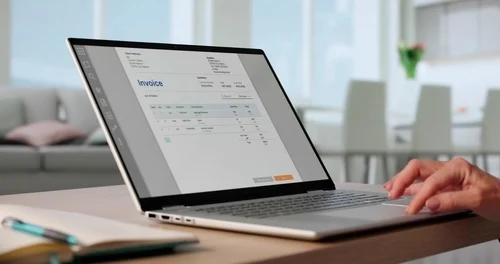
Use the steps below to narrow nine options to one.
- List your weekly tasks. Write down what you do each week: estimates, invoices, deposits, scheduling, and bookkeeping.
- Match tasks to a tool type. Estimate and invoice apps cover quoting and payment. Field service tools add scheduling. Accounting tools add bookkeeping. Our guide to the best estimating apps for small contractors can help with the first group.
- Check your trade. Trade-specific pages cover the details for plumbers, HVAC, and roofing businesses. If you run a handyman business, see the best apps for handyman businesses.
- Compare the full cost. Add the monthly price, extra users, and payment fees at your typical invoice size.
- Confirm accounting sync. If your bookkeeper uses QuickBooks, check which plan includes the sync. In Joist, it’s on Pro, Elite, and Run; in Jobber, it starts on Connect.
- Run a trial with a real job. Send one estimate, send one invoice, and take one payment before you commit.
Should You Use Free Invoicing Software?
Free tools can work when you send a handful of invoices a month, but limits on invoices, clients, or features usually appear as you grow. If you want to compare the trade-offs, read our guide to free vs paid contractor invoicing software. If you only need a document, a free invoice template is a quick starting point.
Contractor Invoicing Software FAQs
These answers cover the most common questions contractors ask when choosing invoicing software, including price, free options, card payments, and QuickBooks sync.
What is the best invoicing software for contractors?
Is there free invoice software for contractors?
What is contractor billing software?
Is invoicing software the same as accounting software?
What is the best construction invoicing software for large projects?
What is the best invoicing app for contractors?
Can I take card payments with contractor invoicing software?
How much does contractor invoicing software cost?
Send Your First Invoice with Joist
Build an estimate, turn it into an invoice, and take payment from your phone. Try Joist free for 14 days with no credit card needed, or compare plans and pricing.
Sources
- Fed Small Business. 2025 Report on Employer Firms: Findings from the 2024 Small Business Credit Survey. March 27th, 2025
- Internal Revenue Service. Recordkeeping. May 1st, 2026
- Internal Revenue Service. Use of electronic accounting software records: Frequently asked questions and answers. July 3rd, 2026
Product prices and features are sourced from each vendor’s pricing page, checked on October 19th, 2026.