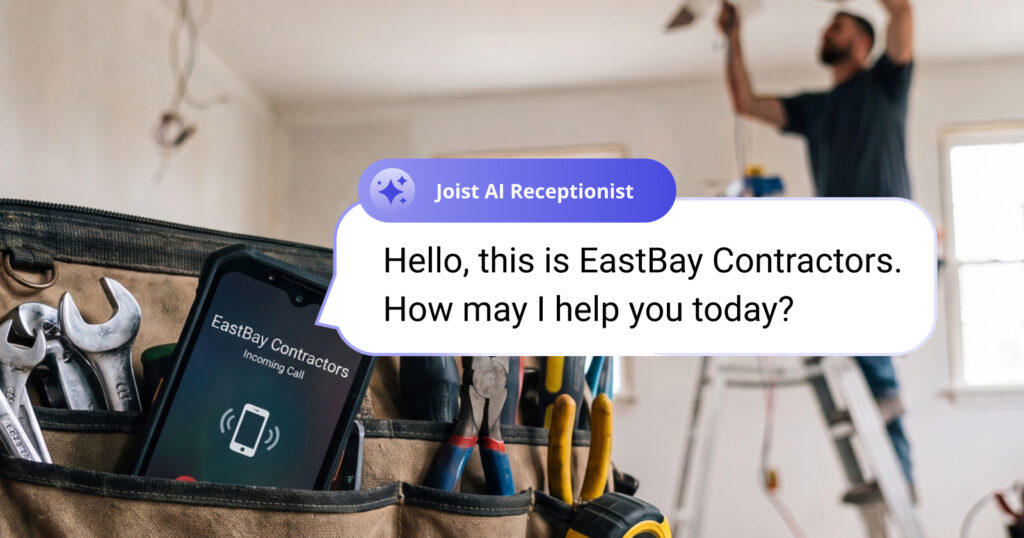
When You’re on a Ladder, You Can’t Answer the Phone
Most contractors are running their business from a personal cell—which means every unanswered call is a potential job that just went to voicemail. And let’s be honest: most people don’t leave one. They move on and call the next contractor on the list.
It’s not a hustle problem. You’re working. But missed calls have a way of turning into missed revenue, especially during busy weeks, after hours, or when the jobs are stacking up faster than you can return calls.
Meet Joist AI Receptionist
You don’t need a receptionist on payroll to make sure every caller gets an answer. Joist AI Receptionist, powered by ZyraTalk, steps in when you can’t pick up—answering the call, collecting the customer’s details and what work they need done, and sending you a summary so you have everything you need to follow up and close the job.
“We kept hearing the same thing: ‘I missed a call and lost the job.’ ZyraTalk was already solving that problem really well. Bringing it into Joist just meant contractors could get that coverage in the tool they’re already using every day,” said Ryan Chong, Product Manager at Joist.
It works alongside the phone setup you already use. No new number required, no complicated setup, and your phone still rings like normal. You’re just covered when you can’t get to it.
Three Ways AI Receptionist Keeps Work Moving
Answer every call, even when you can’t
Whether you’re under a sink, driving between jobs, or wrapping up a long day on-site, AI Receptionist makes sure new callers still get a professional response—not a voicemail that gets ignored. You choose whether it handles missed calls only or picks up every incoming call. Either way, you stay in control.
Get the details you need before you call back
After every call, you get a summary with the customer’s contact info, what work they’re looking for, and when they want it done. No more calling back blind or trying to remember what someone said in a rushed voicemail. You’ve got the context you need to quote the job and move it forward.
Works with your current number, or get a dedicated business line
AI Receptionist fits into the way you already work. Forward missed calls from your personal cell, connect an existing business number, or get a dedicated business number that still rings your phone first. You’ve got options, and you can always change your setup as your business grows.
“This is about giving solo contractors and small crews the kind of coverage that used to require office staff,” said Eguono Onoyovwi, Director of Product at Joist. “We want every Joist user to feel like their business is always open, even when they’re heads-down on a job.”
How to Start Using AI Receptionist Today
Getting set up takes less than 15 minutes, and you can try it free before committing to anything.
- Add AI Receptionist to your Joist plan.
Head to your Joist dashboard and click on the AI Receptionist tab. Your 14-day free trial starts as soon as setup is complete.
- Choose how you want calls handled.
Decide whether AI Receptionist answers missed calls only, or picks up every incoming customer call. You can adjust this anytime.
- Get your first call summary and follow up.
The next time a call comes in that you can’t answer, AI Receptionist handles it. Check your summary, reach out with the details already in hand, and book the job.
Common Questions About AI Receptionist
Yes. Customer calls ring your phone first. AI Receptionist only steps in if you can’t get to it—or you can set it to answer every incoming call if you prefer. You’re always in control of how calls are handled.
After every call, you get a summary with the caller’s contact info, what work they need done, and when they’re looking to get it completed. Everything you need to follow up and put together an estimate.
Yes. You can forward missed calls from your existing personal cell or business number or get a dedicated business number that still rings your phone. Most contractors start with call forwarding and go from there.
Plans start at $49/month, and you can try AI Receptionist free for 14 days to see how it fits into the way you work.
Yes. AI Receptionist is an especially good fit if you’re running jobs on your own without office staff. It gives you the call coverage of a front desk—without the overhead. Every caller gets a professional response, even on your busiest days.
Get Started with Joist AI Receptionist
Every missed call is a potential job. AI Receptionist helps make sure fewer of them slip through, so you can stay focused on the work in front of you and still follow up on new leads when the day slows down.
Already a Joist user? Add AI Receptionist to your plan and try it free for 14 days.
Not on Joist yet? See everything AI Receptionist can do for your business.