Managing Jobs Shouldn’t Mean Juggling Texts, Notes, and Memory
As your workload grows, keeping track of everything gets harder. Customer details live in one place, estimates in another, invoices somewhere else, and your schedule is split between a paper calendar, your phone, and your memory.
It doesn’t take much before something slips—a missed callback, a double-booked afternoon, or a job detail you can’t quite remember when a customer calls asking for an update.
For contractors managing more than one job at a time, that kind of disorganization adds up. Not just in wasted time, but in the kind of mistakes that make a growing business feel harder to run instead of easier.

Introducing Jobs & Scheduling in Joist
On August 18, 2026, Joist is launching Jobs & Scheduling—two new features that bring everything about a job into one connected view, available on the new Joist Run plan.
“As contractors take on more jobs, staying organized becomes just as important as doing great work. Jobs & Scheduling brings everything about a job into one place, so nothing gets missed and nothing falls through the cracks,” said Beatriz Yanez, Product Manager at Joist.
Estimates and invoicing aren’t going anywhere. They’re still core to how Joist works, and still where most contractors will start. Jobs & Scheduling builds on top of that foundation, giving you one place to manage everything that happens between winning the work and getting paid for it.
Three Ways Jobs & Scheduling Make Your Day Easier
All the details connected to a job, together
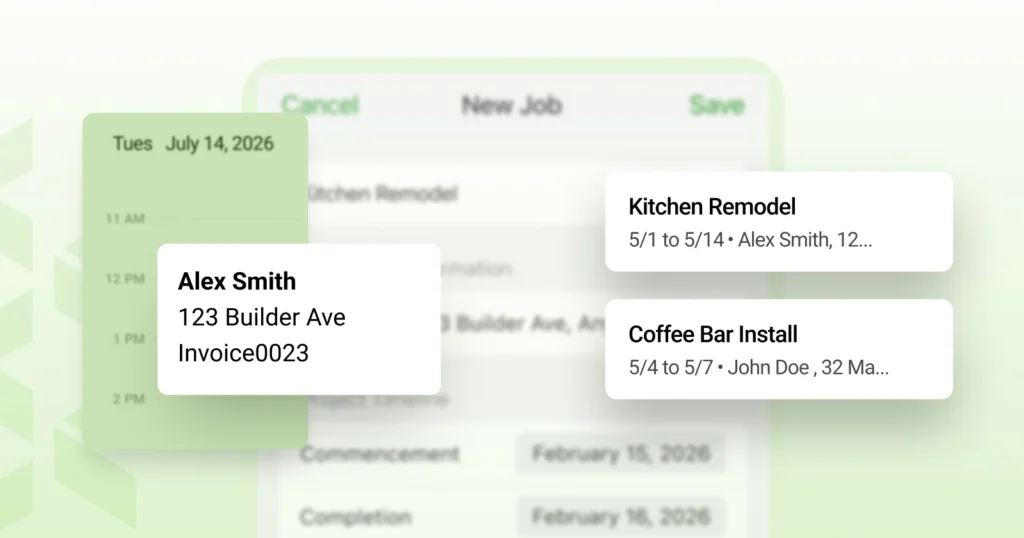
Every job in Joist now tells the full story—customer information, the estimate and invoice tied to the work, and any notes or dates you want on record, connected in one place. No more digging back through old texts or notes to remember what was agreed on.
Plan your day with confidence
Create and manage visits inside each job, then see everything on a calendar that makes it easy to plan your week. Stay on top of changes as schedules shift, and avoid double-booking yourself with automatic conflict detection.
Manage more jobs with less chaos
Get a clear view of every active job and where it stands, so a growing workload feels manageable instead of overwhelming. See job details at a glance and know immediately where every job stands, without digging through records.
“We built Jobs & Scheduling to fit naturally into how contractors already use Joist. It’s not a new system to learn. It’s everything you’re already doing, just easier to manage,” said Nikita Alkhazov, Senior Product Manager at Joist.
How to Start Using Jobs & Scheduling Today
Getting set up takes just a few minutes. Here’s how to start:
- Get started with Joist Run. Sign up or switch to the Run plan to unlock Jobs & Scheduling.
- Create or open a job. See customer details, the estimate, and the invoice together in one view.
- Add a visit. Schedule it, and it shows up on your calendar automatically.